





SentiSnap vs. Google Forms: Which survey tool should you choose?
Wondering which survey tool is the right one for you? This article will help you navigate your options and show how SentiSnap compares to commonly used solutions. You'll get a clear overview of features, benefits, and differences, so you can choose the tool that best fits your needs.

Are you ready to collect customer data that will move your business forward? Then you can't do without a quality survey-building tool. Online forms are now among the key tools for understanding customers, improving services, and making more effective decisions. And if you're reading this, you're probably comparing SentiSnap with Google Forms to figure out which form-building tool best fits your needs.
Do you want to create surveys that not only collect data but also offer a pleasant user experience, hold respondents' attention, and provide you with clear analytics and the ability to connect with your other tools?
So which one should you choose? In this article, we take a detailed look at the comparison between SentiSnap and Google Forms. We cover everything from design and features to data collection options. You'll get a clear overview and be able to make a decision based on what really matters to you.
SentiSnap vs. Google Forms
Google Forms is free and does a solid job for a simple internal survey or event registration. But the moment you start thinking of feedback as a tool you use to run your business, its limits begin to show.
When it comes to design, SentiSnap lets you set custom colors, fonts, logos, and images so the survey looks like part of your brand. You can customize the welcome and thank-you pages down to the detail, mobile display works automatically, and you don't have to upload anything manually because visual assets are handled within the platform. Google Forms gives you a few templates, headers are uniform, and you can spot a Google form at first glance every time.
When it comes to data analysis, SentiSnap doesn't wait for you to read a thousand responses yourself. AI goes through them, identifies themes and recurring patterns, and you get a summary ready for decision-making. On top of that, SentiSnap gives you support from a team that's there to help you whenever you need it.
In short, Google Forms is a good tool for collecting answers. SentiSnap is a platform for actually drawing reliable conclusions from your surveys.
Survey-Building Tool Comparison: SentiSnap vs. Google Forms
SentiSnap is a modern survey-building tool for anyone who wants to create beautiful, branded, and conversational surveys. Just like Google Forms, it allows users without technical experience to build surveys quickly and easily.
Google Forms is ideal for simple, fast use. You can create a basic form in just a few minutes without complicated setup. SentiSnap, however, goes much further. It offers a wider range of advanced features and significantly more customization and design options, allowing you to create forms that not only collect data but actively engage users. As a result, you can build surveys that feel like a natural conversation, look visually appealing, and align with your brand. This leads to higher completion rates, better-quality data, and smarter business decisions.
SentiSnap users often report that they gain deeper and more accurate insights from the responses they collect, because their respondents enjoy the surveys more and are more willing to complete them.
Unlike Google Forms, which focuses mainly on simplicity, SentiSnap offers flexibility and design freedom for a wide range of use cases. On the SentiSnap blog, you'll find examples of various ways to use the platform – from customer feedback to advanced marketing and product research.
Strong design can dramatically affect your survey's success
Great design boosts completion rates, strengthens brand perception, and leads to higher-quality data. Whether you're running a customer survey or a contest campaign, a consistent visual style is essential for building trust and a strong brand identity.
SentiSnap is built to help you create visually appealing, branded, and conversational forms that people actually want to fill out. This increases engagement and completion rates, while you collect more relevant responses.
Unlike tools with limited design options, SentiSnap gives you full control over the look of your form – no coding required. You can customize nearly every detail and create an experience that matches your brand.
In SentiSnap, you can work with:
- your own brand style (colors, typography, visual identity)
- editable layouts and visual structure of the form
- personalized welcome and closing screens
- responsive design optimized for mobile devices
- a rich library of visual elements (images, icons, media)
- fully customizable templates
- interactive elements like scales, sliders, or conversational logic
Thanks to these options, you create forms that aren't just data collection but a natural dialogue with the customer. In contrast, tools with limited design often lead to uniform forms that engage less and have lower completion rates. SentiSnap helps you eliminate this issue and turn your forms into a powerful tool for both data collection and brand building.
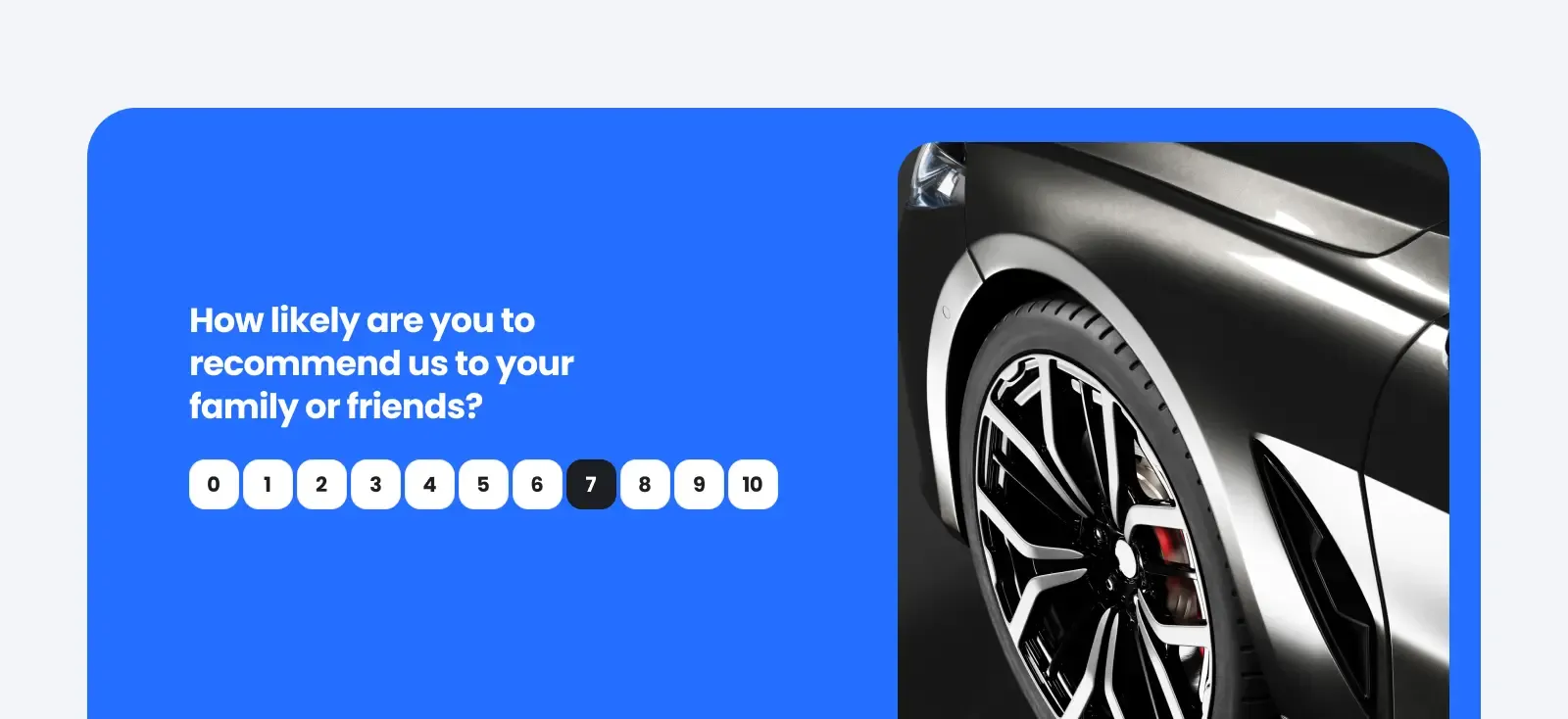
User-friendly interface
A survey should be easy to create and even easier to fill out. You deserve a tool that takes you from a blank page to live data collection in a matter of minutes. SentiSnap does exactly that. The editor walks you through the creation process step by step, suggests question types based on what you're trying to find out, and takes care of the details you'd otherwise have to think about yourself. Launching a survey takes just minutes, and respondents can fill it out just as comfortably on mobile as on a computer. Both SentiSnap and Google Forms are optimized for mobile devices, so respondents can answer on the go from their smartphones with no friction.
You can start from a template that already addresses a specific situation, or build your own from scratch. Templates cover typical scenarios from customer satisfaction to employee feedback to event evaluations, and each one is written so it can be used immediately. Multilingual support is built right into the platform, so when you need to reach customers abroad, AI translations handle it without copying anything into a translator.
Google Forms is fairly easy to use if you just want a basic form. Quick setup, a minimalist interface, and intuitive navigation that even a complete beginner won't get lost in are its undeniable strengths. But the moment you want to go further – into more advanced question branching or connecting with other apps – you'll find that Google Forms can't do it alone, and you'll need third-party tools. For teams that use surveys consistently and want more out of them than just a list of answers, that's not an ideal foundation.
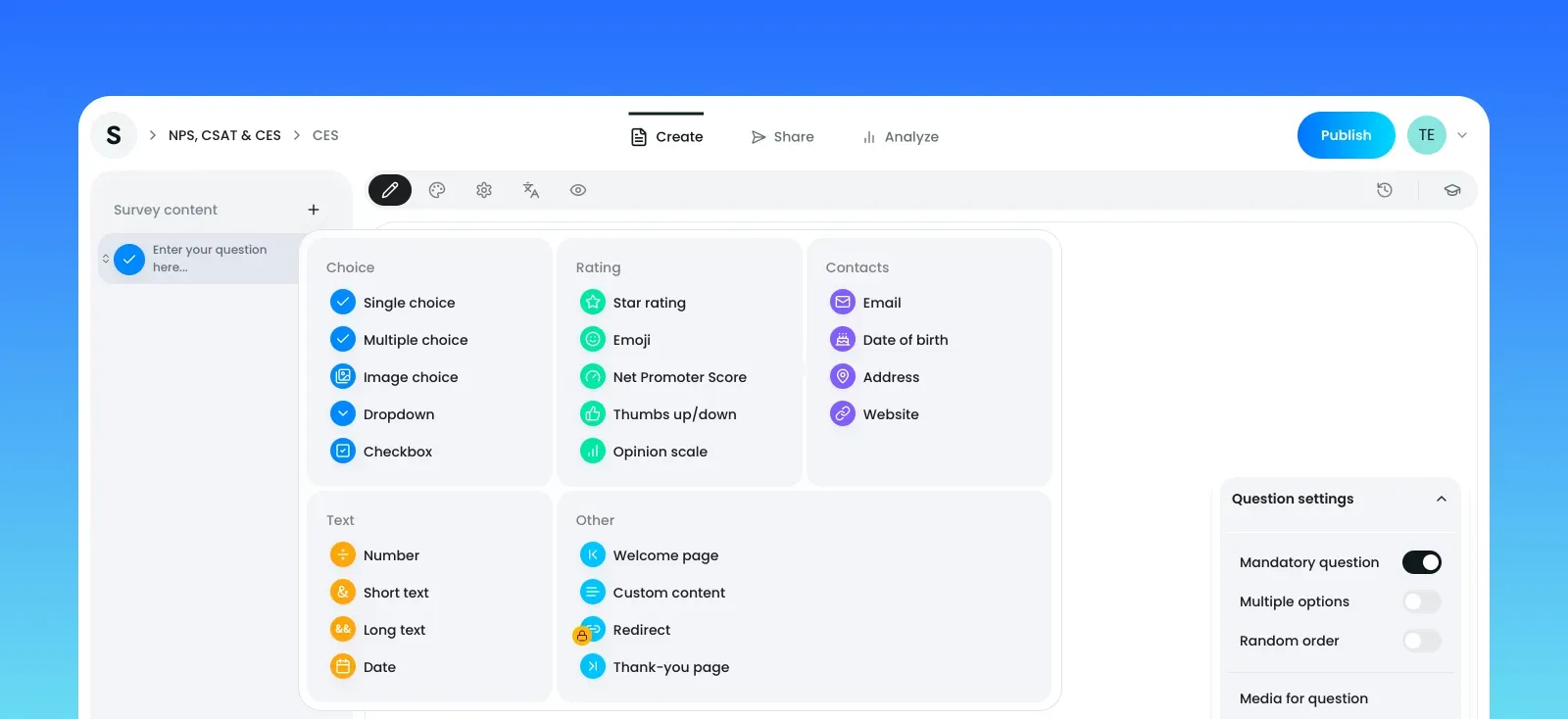
Optimized data collection
A survey is only as useful as the data you ultimately get from it and how quickly you can make sense of it. Before choosing a tool, think about what you'll actually do with the responses and how much work the tool will save you.
In addition to the standard overviews and charts you'll find in any survey tool, SentiSnap offers several things that change the way you work with responses:
AI analysis of open-ended responses goes through text comments on its own and pulls out themes, sentiment, and recurring patterns. From a thousand comments, you'll see in moments the five main things bothering people and the ten things they're praising you for. Instead of two days of manual reading, you get a summary ready for decision-making.
Multilingual surveys with AI translations let you run a single survey in multiple languages at once and consolidate responses into one analysis. When you have customers in several countries, you don't have to evaluate four separate surveys.
UTM and campaign tracking tells you where respondents are coming from, so you'll know whether you're getting better answers from people coming via newsletter, LinkedIn, or Google – and you can direct future outreach accordingly.
Google Forms gives you the basics. It generates simple charts and supports a few conditional rules. Campaign source tracking and AI analysis of open-ended responses are not natively available, and UTM parameters require workarounds through third-party tools. For a quick poll it's enough; for a company that takes feedback seriously, it can quickly become a problem.
Value for money
While Google Forms offers a single free plan with no upgrade option, we have several plan tiers, including a free version. The free version still gives you access to our excellent design and customization options, so you can leave a lasting impression – but compared to paid plans, it has limits on features and response volumes.
Beyond design options, the free plan also lets you create fully customizable welcome and thank-you pages.
When it comes to anything more complex, SentiSnap's paid plans far exceed what Google Forms can offer. Upgrading to a paid plan unlocks new possibilities.

SentiSnap vs. Google Forms: Choosing the right form-building tool
Google Forms and SentiSnap are both easy-to-use, no-code form builders. But if you want to capture more and better data, create instantly recognizable forms, and gain deeper insights, SentiSnap is the better choice.
Unlike traditional forms that display multiple questions at once and can feel one-dimensional, SentiSnap offers a more interactive and engaging experience that keeps respondents in the loop.
SentiSnap is a powerful alternative to Google Forms, ideal for elevating your forms with a design that matches your brand and increases completion rates.
Ready to give it a try? Start building surveys for free.

SentiSnap
We are SentiSnap – a platform that helps companies better listen to their customers. We combine online surveys, media monitoring, and social media monitoring into one tool, so you can get a complete picture of what’s happening around your brand.
